Priya Shankar noticed the one-star reviews before her QA team did. Three days after Android 16 started rolling out to Pixel devices in her app’s most active user segment, the support queue filled with complaints about gesture navigation breaking mid-flow, predictive back animations triggering unexpectedly, and a bottom navigation bar that had shifted position without any code change on her team’s end. Her e-commerce app had been well-rated for two years. The Android 16 update hadn’t touched her codebase, but it had changed enough of the platform behavior underneath it that the app felt broken to anyone running the new OS. When she brought in an Android App Development Company to triage and rebuild the affected surfaces, the first thing their lead engineer said was that none of the issues were bugs in the traditional sense. They were compatibility gaps, the natural consequence of building against an older target SDK without a systematic process for validating against new platform releases before they reached users. Closing those gaps for Android 16 specifically required understanding what Google had actually changed at the framework level, and then working methodically through every surface the app exposed to those changes.
What Android 16 Changed That Actually Matters to Developers
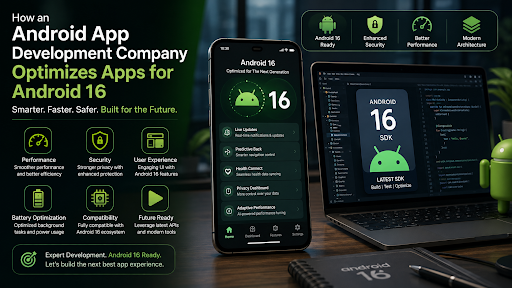
Android 16 is a significant platform release rather than an incremental one, and several of its changes have direct implications for apps that haven’t been updated to account for them. The predictive back gesture system, which was optional in Android 13 and 14, became a behavioral expectation in Android 16. Apps that haven’t implemented the OnBackInvokedCallback properly and are still relying on the deprecated onBackPressed method experience animation inconsistencies and in some cases navigation state errors that users interpret as crashes.
The adaptive refresh rate framework saw meaningful changes in Android 16, with the platform taking more aggressive control over display refresh decisions to serve battery optimization goals. Apps that manually manage SurfaceView or TextureView rendering without respecting the platform’s choreographer signals can see frame pacing issues that weren’t present on Android 15. For media-heavy applications and games, this requires a deliberate review of how rendering pipelines interact with the new display rate arbitration logic.
Large screen and foldable support became a stronger behavioral requirement rather than a recommendation. Android 16 enforces resizability more strictly, which means apps that set resizeableActivity=”false” in their manifest encounter degraded experiences on foldables and tablets that weren’t as visible on earlier OS versions. Google’s own compatibility testing now flags this configuration as a blocking issue for certain device categories on the Play Store.
Permission and privacy changes continue the trajectory set by Android 12 and 13. Health Connect integration deepened in Android 16, and apps touching fitness or wellness data need to verify their Health Connect permissions handling aligns with the new API surface. Photo picker enhancements changed how partial media access flows work, and apps using legacy storage permission patterns encounter user-facing prompts that look different from what they did before.
The Optimization Process: Where Professional Teams Actually Start
When Priya’s development team received the project, they didn’t start with code. They started with a compatibility matrix: a structured inventory of every API the app consumed, mapped against the Android 16 behavior change documentation Google publishes for apps targeting the new SDK and apps running on the new OS regardless of target SDK. That distinction matters enormously. Some Android 16 changes affect all apps running on the OS, even ones targeting older SDK levels. Others only trigger for apps that update their targetSdkVersion to 36. Knowing which category each change falls into determines the priority and sequencing of the fix work.
The next step was environment setup. Testing Android 16 behavior accurately requires running against the actual platform, which means using the Android 16 system images available through Android Studio and the Android SDK Manager. Development teams working on OS-specific optimization use the best android emulators configured with Android 16 system images alongside physical Pixel devices enrolled in the Android Beta Program, because emulator behavior and physical device behavior diverge on certain hardware-specific features, particularly around camera APIs, Bluetooth behavior, and display refresh rate management.
After environment setup came systematic surface testing: every screen, every navigation flow, every background process, every permission request, and every third-party SDK the app depended on. That last category is frequently where the most stubborn compatibility issues hide. An analytics library or crash reporting SDK that hasn’t been updated by its maintainer for Android 16 can introduce behavior changes that look like they’re coming from the app’s own code.
Jetpack Compose and the Modern UI Toolkit Advantage
Apps still built entirely on View-based XML layouts face a more complex path through Android 16 optimization than apps using Jetpack Compose, and the gap is widening with each platform release. Google’s investment in making Compose the first-class UI toolkit means that platform behavior changes, particularly around adaptive layouts, predictive back, and large screen support, get handled at the framework level for Compose apps before they become developer problems.
Priya’s app was a hybrid: Compose for newer screens added over the past eighteen months, Views for the original checkout and account management flows. The predictive back issues that had generated the one-star reviews were concentrated entirely in the View-based screens. The Compose screens handled the new back gesture animations correctly without any code changes because the Compose navigation library had already been updated by Google to implement the new API.
The remediation involved implementing OnBackInvokedCallback explicitly in the remaining View-based screens, and in parallel, scoping a migration roadmap for converting the highest-traffic View screens to Compose over the following two quarters. The short-term fix addressed the user-facing problem. The migration plan addressed the underlying technical debt that would otherwise require the same remediation work again with Android 17.
Performance Profiling Against Android 16’s New Baseline
Compatibility is about correctness. Performance optimization is a separate discipline, and Android 16 creates new profiling baselines that teams need to measure against rather than assuming prior benchmarks still apply.
Android Studio’s profiler tooling received updates alongside the Android 16 SDK that surface new categories of performance signal: frame timing data that accounts for the adaptive refresh rate system, memory pressure indicators that reflect Android 16’s updated background process priority logic, and startup tracing that captures the full cold start journey including the new splash screen API behavior changes.
Priya’s team ran baseline profiling sessions on Android 16 across three device classes: a flagship Pixel, a mid-range device representative of their median user hardware, and a low-end device at the bottom quartile of their active install base. The results differed significantly across categories. The flagship showed no meaningful regressions. The mid-range device showed frame pacing issues in a scroll-heavy product listing screen under the new refresh rate management. The low-end device showed memory pressure during the app’s cold start sequence that hadn’t triggered on Android 15 because the background process priority changes in Android 16 left less available memory for foreground app launch.
Each of those findings required a different remediation. Frame pacing on the mid-range device was addressed by updating the rendering pipeline to use the recommended choreographer callback pattern. Memory pressure on cold start was addressed by deferring the initialization of three SDK components that were loading synchronously at startup without being needed until later in the user session.
Staying Ahead of the Next Release
The most durable outcome of Priya’s Android 16 remediation project wasn’t the fixes themselves. It was the process her team put in place to avoid repeating the experience with Android 17. Google releases Android developer previews starting in early calendar year, with beta releases following through the spring before the stable release. Teams that begin compatibility testing against developer preview builds as soon as they’re available have months to identify and address issues before they reach production users.
The compatibility matrix her team built became a living document, updated with each new preview release. The emulator configurations for Android 16 testing were preserved and extended with Android 17 preview images as they became available. The surface-by-surface testing protocol became a quarterly process rather than a crisis response.
Android platform evolution isn’t slowing down. Each release brings behavioral changes that reward teams who track them systematically and penalize those who discover them through user complaints. The difference between those two outcomes is almost entirely a function of process rather than engineering skill. The engineering skill is table stakes. The process is what makes it repeatable.