Your iPad slows down, the battery dies by lunchtime, or a hairline crack runs across the glass. Then the big question arrives: repair it, replace one part, or buy a new one? The answer is rarely obvious, and the wrong choice can waste money or push a perfectly good tablet into the bin. A clear decision process helps. This guide walks through the signs, costs, and timing behind each option, and shows when it pays to consult iPad Repair Experts in Dubai before spending on anything.
Start With a Proper Diagnosis
Guessing is expensive. Many iPad problems look serious but come from software, while a few small symptoms hide real hardware faults. Before deciding anything, note exactly what happens: does the fault appear after an update, after a drop, or after charging? Back up your data, check storage, and update the software. If the problem remains, a technician can test the battery, display, charging circuit, and logic board. A free diagnosis is ideal, because it separates cause from symptom before you commit money.
When a Simple Fix Is Enough
Not every fault needs a new part. Try these first: restart the iPad, install pending updates, free up storage, and remove a thick screen protector if touch feels off. If charging is slow or intermittent, lint packed inside the port is a common cause, and a careful professional clean often solves it. Swap the cable and adapter too, since worn accessories fail more often than the iPad itself. If none of this helps, or the iPad has been dropped or exposed to liquid, move on to a component check.
When Replacing a Component Makes Sense
Replacing a single part is often the best value, especially on a recent iPad that still runs current software.
The Battery
A tired battery is the most common reason to repair an iPad rather than replace it. Warning signs include fast drain, sudden shutdowns, slow charging, and, in rare cases, a swollen back or a screen lifting from the frame. Apple designs iPad batteries to hold up to 80% of their original capacity after about 1,000 full charge cycles, so heavy daily users may notice a decline after a few years. A new battery can make an aging iPad feel fresh at a fraction of the price of a new device. A swollen battery is a safety issue: stop using the iPad and get it inspected at once.
The Screen
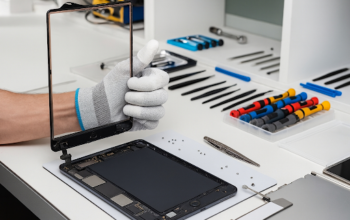
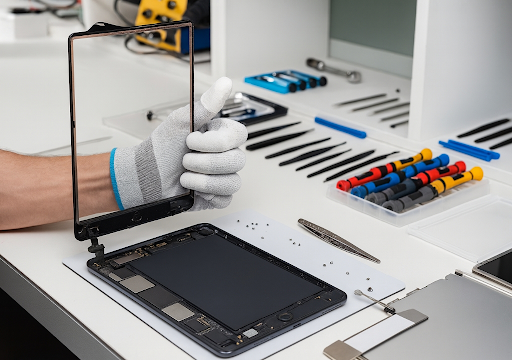
A cracked screen is the next big reason. Cracks spread, and they can let dust and moisture inside, so waiting rarely helps. On most recent iPads, the glass and display are bonded together, which means the whole display assembly is replaced. Ask iPad Repair Experts in Dubai for a written quote that lists the parts, labor, and warranty, and test touch response and Apple Pencil use before you leave.
Ports, Cameras and Buttons
Charging ports, cameras, speakers and buttons are usually inexpensive to replace and worth fixing on any supported iPad. Liquid damage is different: corrosion can spread silently, so early diagnosis and cleaning give the best odds. Logic board faults are the point where repair costs often climb sharply.
When Upgrading Is the Smarter Move
Sometimes the honest answer is to move on. Software support is the biggest reason. iPadOS 27 drops support for five older models: the iPad 8th generation, iPad mini 5, iPad Air 3, the first-generation 11-inch iPad Pro and the third-generation 12.9-inch iPad Pro. Even supported models differ, because Apple Intelligence needs an M1 chip or later, or the iPad mini with A17 Pro. An unsupported iPad will still handle browsing and video, but it may miss new features and, over time, app compatibility.
Upgrade, too, when several faults appear together, such as a weak battery, a cracked display and a failing port, or when a repair quote passes roughly half the price of a comparable replacement. If you do replace the device, recycle or trade in the old one. The world produced a record 62 million tonnes of e-waste in 2022, and only 22.3% was documented as formally collected and recycled. Every extra year you get from a repaired iPad helps reduce that pile.
A Quick Decision Guide
- Fix: software glitches, dirty ports, faulty cables, or minor slowdowns.
- Replace a component: a weak battery, cracked screen, damaged port, or camera on a supported iPad that otherwise performs well.
- Upgrade: unsupported software, multiple faults, water or board damage, or repairs near half the price of a new model.
If you are unsure, get a quote first. It usually costs nothing and gives you real numbers to compare.
Selecting Where to Repair
Back up your data first, and make sure you know your Apple ID and passcode details. Look for a provider that offers a free diagnosis, a clear written quote, quality parts, a warranty, and respect for your privacy. Same-day service, pickup, and delivery are useful extras for busy schedules. Avoid anyone who quotes a firm price without seeing the device, or who asks for personal data they do not need.
Conclusion
The right choice depends on cause, age, and cost. Fix small faults first, replace a battery or screen when the iPad is still supported, and upgrade when software support, multiple faults or repair costs tip the balance. Selecting Top iPad Repair support means expecting an honest diagnosis, not a sales pitch. Take a few minutes to back up your data, gather quotes, and compare them with the price of a new model. Done well, repair extends your iPad’s life, saves money, and keeps electronics out of the waste stream.
800fixing is a Dubai-based gadget repair and IT support provider operating since 2006. Their technicians handle dependable iPad repairs, from screen damage to diagnostics, starting with a free assessment and a clear quote. They offer quality parts, warranty-backed repairs, privacy-conscious handling, and on-site or pickup-and-delivery service across the UAE.